01 / Relationships
A closer look at the workspace.
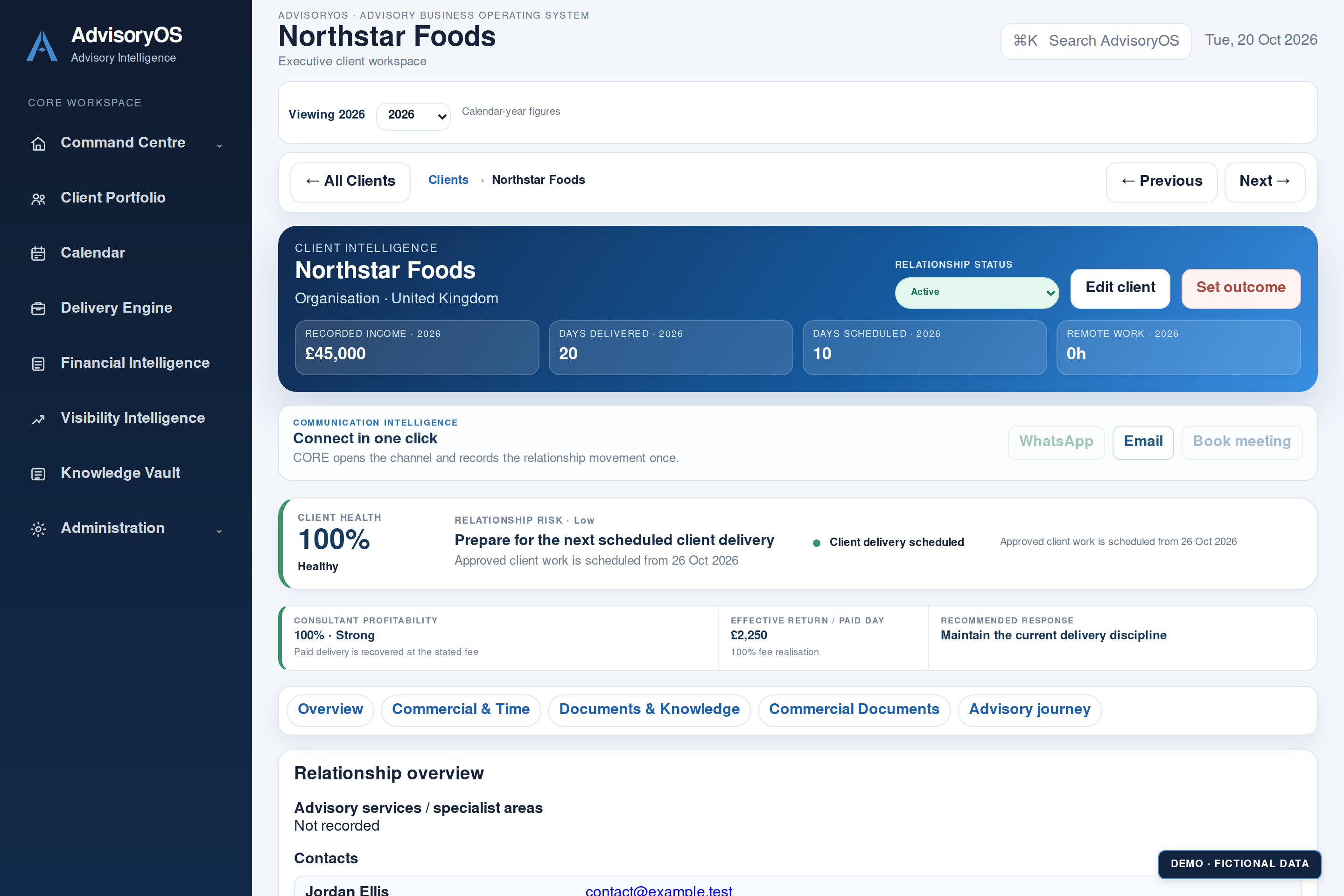
Software screenshot with fictional demonstration data. Select to explore.
Your clients. Your commitments. Your next opportunity. One clearer view.AdvisoryOS connects your client relationships, calendar, revenue planning and knowledge in one workspace, helping you spot what needs attention, understand your commitments and make your next move with confidence.
Start my 10-day trial →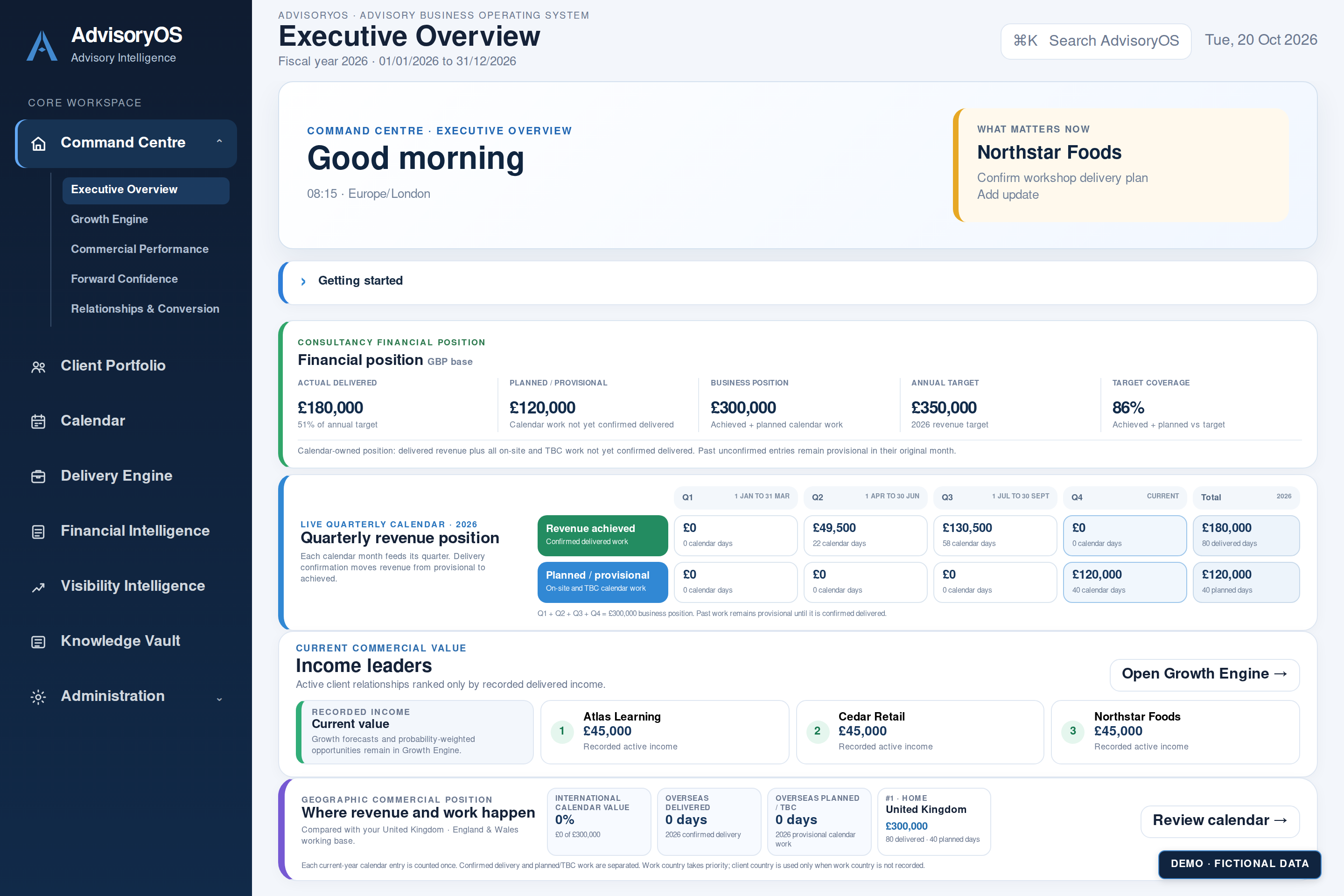 See your business at a glance Explore the software ↗
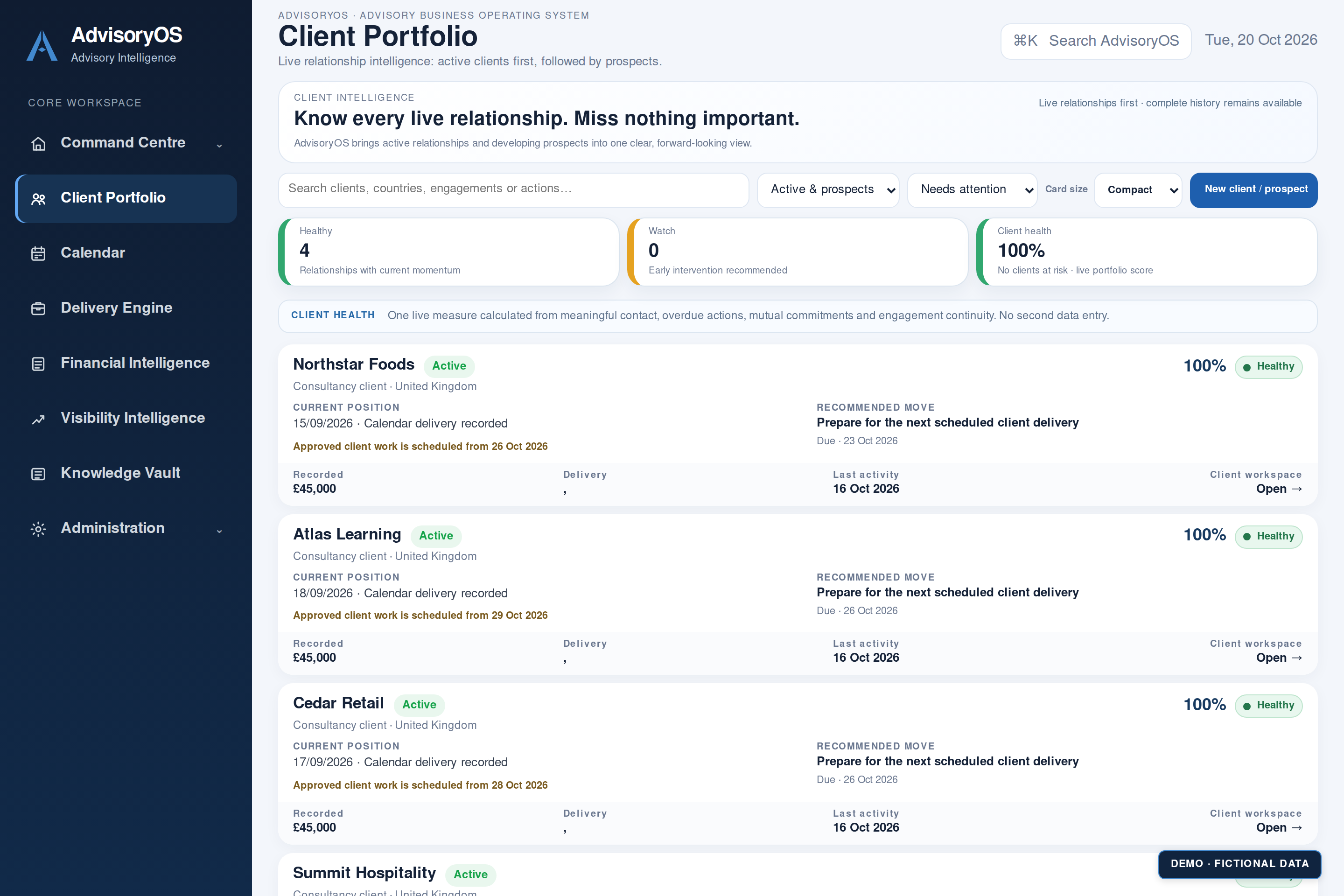
Client Portfolio
See where each relationship stands, review its history and keep the agreed next action close to the client.
From expertise to enterprise
Your business moves through the decisions you make every day. Bring the right context to your next conversation, commitment and opportunity.
01 / Relationships
Software screenshot with fictional demonstration data. Select to explore.
02 / Delivery
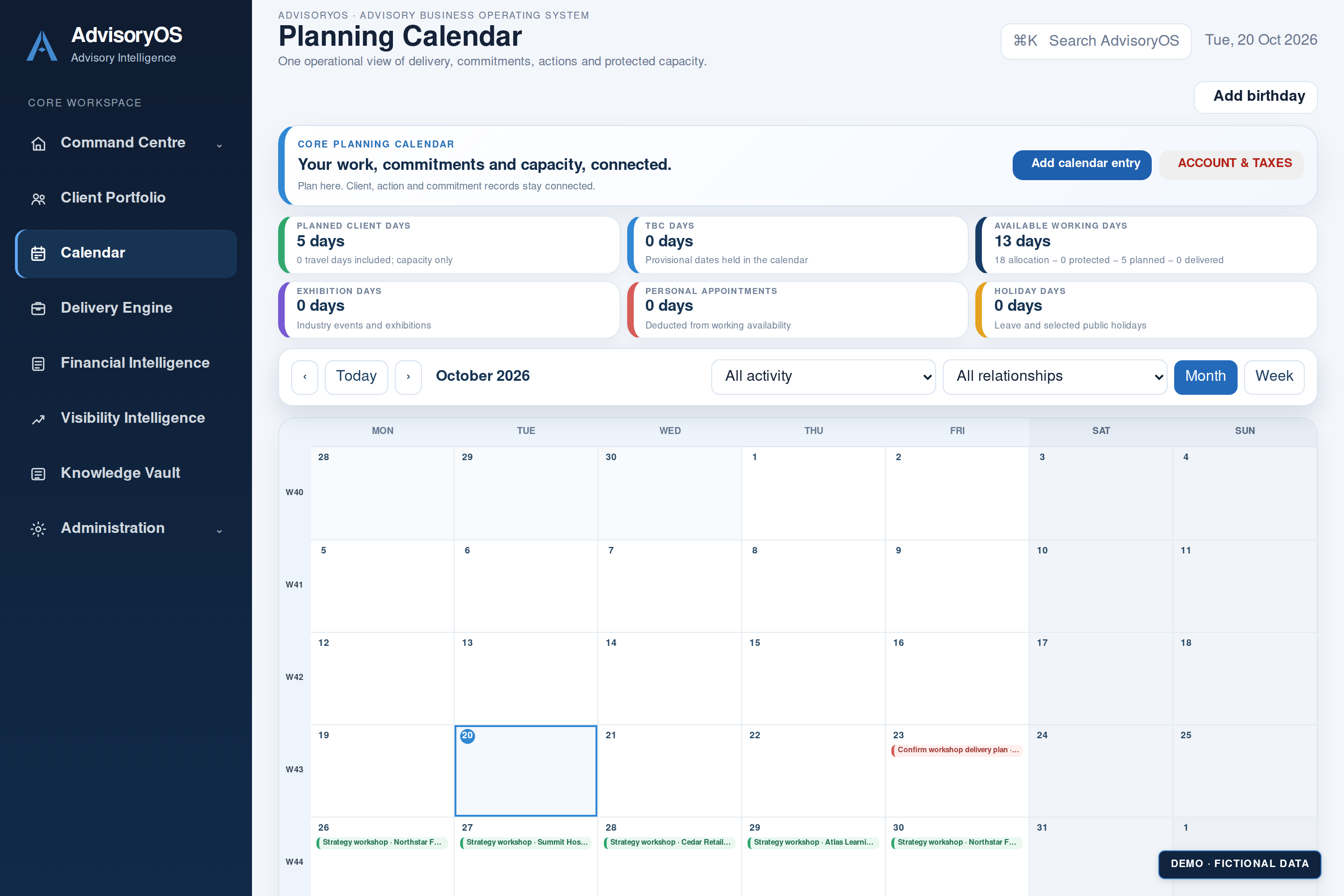
Software screenshot with fictional demonstration data. Select to explore.
03 / Visibility
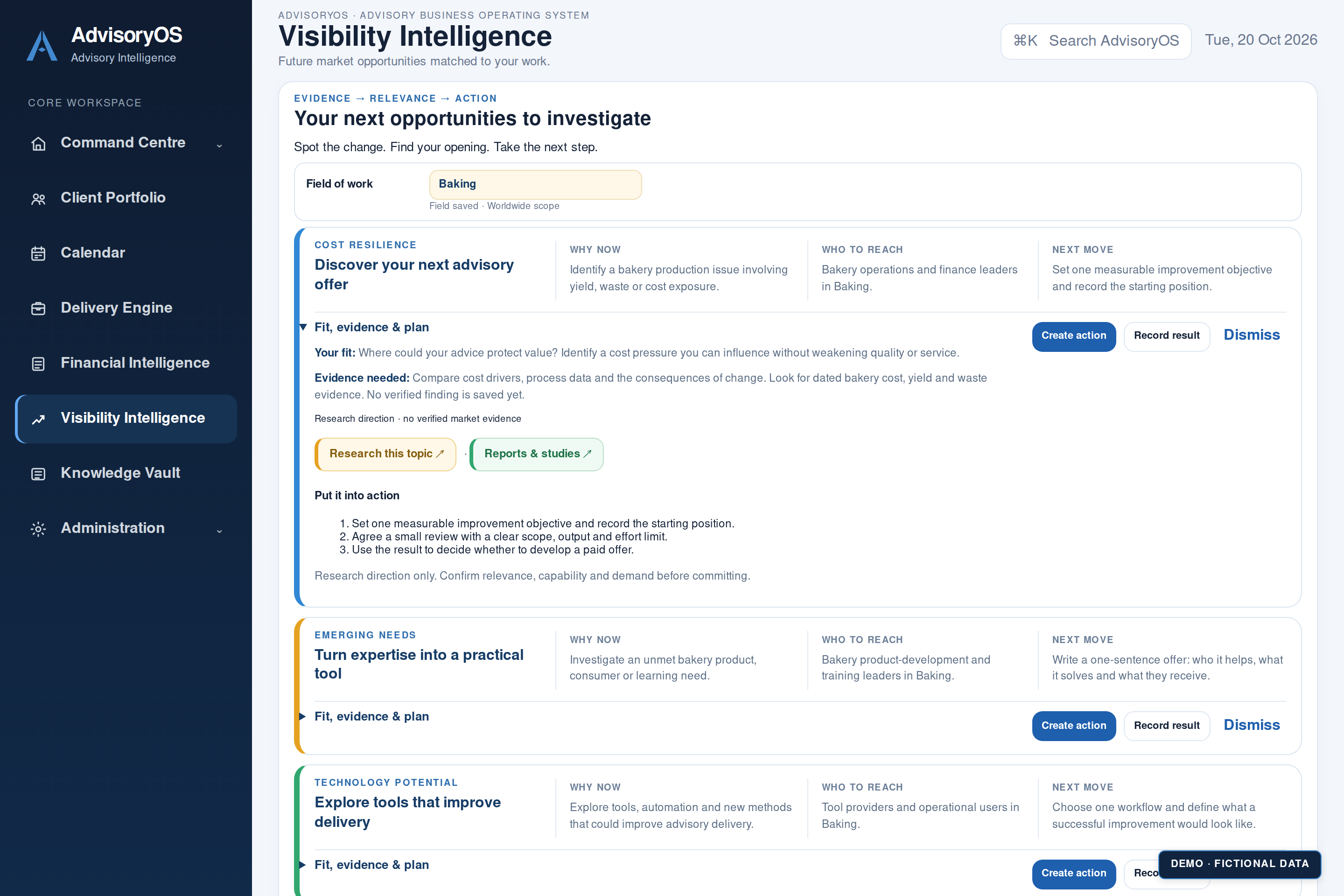
Interface preview with fictional demonstration data. Select to explore.
Keep what makes your work valuable
Every engagement adds knowledge. Keep important documents in your Knowledge Vault and preserve the context that helps you return to the work with confidence.
Your workspace is stored locally in your browser. Export regular backups and keep a separate copy. Automatic cloud sync is not included.
Add your business details and field of work.
Add a client, a commitment and the next action you need to take.
Create your passphrase, export a backup and learn how to restore it.
Explore the complete workspace
Eight connected areas, each with a practical role in helping you run your business. Select an area to discover what it brings to your working day.
Review your business overview and prompts based on recorded information.
Keep client history, updates, engagements and agreed next actions together.
Plan delivery, provisional dates, personal commitments and holidays.
Review workload and capacity before making further commitments.
Review planned and delivered fees, targets and patterns using recorded calendar work.
Follow field-based research links, review dated briefings and identify ideas to validate.
Organise reference documents and connect them with the relevant client work.
Set business identity, currency and preferences, and manage recovery tools.
How it fits into a real working day
A new delivery date. An agreed action. A document worth keeping. Give each part a place in the same workspace.
01 / Client Portfolio
Record the update against the client and keep the agreed action with the relationship. The next conversation starts with the context already there.
“Scope discussed. Send the revised proposal before agreeing delivery dates.”
Calendar values support business planning. They are not bookkeeping or tax calculations. You remain in control of decisions.
One workspace. One monthly subscription.
Start with a 10-day trial. Software access, ongoing updates and standard email support are included while your subscription is active, for £14.95 per month excluding VAT.
AdvisoryOS is a business tool. You bring the judgement; it helps you organise the information and act on it.
AdvisoryOS
Excluding VAT. Where UK VAT at 20% applies, the total is £17.94/month. Final tax treatment will be confirmed before purchase.
Monday to Friday, 9am to 5pm UK time, excluding UK bank holidays. We aim to respond within one working day.
Make room for what’s next ↗Subscriptions are not yet open. Billing, cancellation and paid activation are being finalised.
When paid sales open: a full refund of your first payment if requested within 14 days. Refund details.
Planned cloud service. These are proposed allowances and prices, subject to implementation and usage testing. Cloud storage and automatic synchronisation are not included in the current downloadable Pilot. No cloud upgrade can be purchased here yet.
One software subscription, with optional cloud capacity to suit your working needs. All prices below are total monthly prices, excluding VAT.
| Cloud capacity | Total storage | Monthly transfer | Total monthly price |
|---|---|---|---|
| Included | 1 GB | 5 GB | £14.95 |
| Expanded | 5 GB | 25 GB | £18.95 |
| Larger | 20 GB | 100 GB | £24.95 |
Storage is the space occupied by your active files. Transfer is data downloaded or synchronised between devices and the cloud. Allowances are per customer workspace, shared across that customer's devices, not per device. Recovery copies have a separate retention policy that will be confirmed before launch.
Planned account controls will show your usage and notify you before you reach your allowance. Extra capacity requires your approval. There will be no automatic overage charges.
At the storage limit, new uploads will pause while existing files remain readable, downloadable and removable, subject to the transfer allowance. Transfer restrictions and recovery access will be defined before launch.
The proposed monthly plan lets you stop future renewals and reduce capacity once your files fit the lower allowance. Final cancellation, retention and downgrade terms will be provided before purchase.
Software access, ongoing updates and standard email support are included while subscribed. Email support for setup, everyday use and technical issues, included while your subscription is active. Support hours: Monday to Friday, 9am to 5pm UK time, excluding UK bank holidays. We aim to respond within one working day. This is a target for a first response, not a guaranteed resolution time. Larger cloud capacity requirements can be considered individually. Local backup and export remain part of the plan.
Start with confidence
Bring your business into AdvisoryOS and discover what connects. Explore your clients, plan your commitments and see where your next opportunity could begin. Take 10 days to make it part of your working day.
Read the step-by-step guide ↗Pilot version · 10-day trial · No card required
Download checksum · Read the termsBefore you begin
AdvisoryOS is for people who want a clearer way to run their business, across industries and fields of work. Consultants, entrepreneurs, freelancers, independent professionals and small business owners can use it to organise client relationships, plan commitments, review recorded value and keep useful knowledge together.
Whether you are starting out or running an established business, you can tailor your business details, currency, preferences and research field to the way you work.
The current software stores your workspace locally in your browser. To move computers, export a backup and restore it on the other computer. Automatic synchronisation and hosted storage are not included.
It provides topic direction and research links based on your field. External search and report links help you investigate. It does not continuously fetch or verify live market evidence.
The evaluation is configured for 10 days from original activation. Expiry and read-only export behaviour are still undergoing release verification. Paid continuation will use a separate subscription and activation process; this preview does not automatically charge you.
Ongoing software updates are included while your subscription is active. Updates may require downloading a replacement HTML file, so back up your work first.
Email support for setup, everyday use and technical issues, included while your subscription is active. Support hours: Monday to Friday, 9am to 5pm UK time, excluding UK bank holidays. We aim to respond within one working day. This is a target for a first response, not a guaranteed resolution time.
Contact mj@mickaels-bakehouse.com. The supported browser list will be confirmed before paid launch.